

SAFETY ELITE
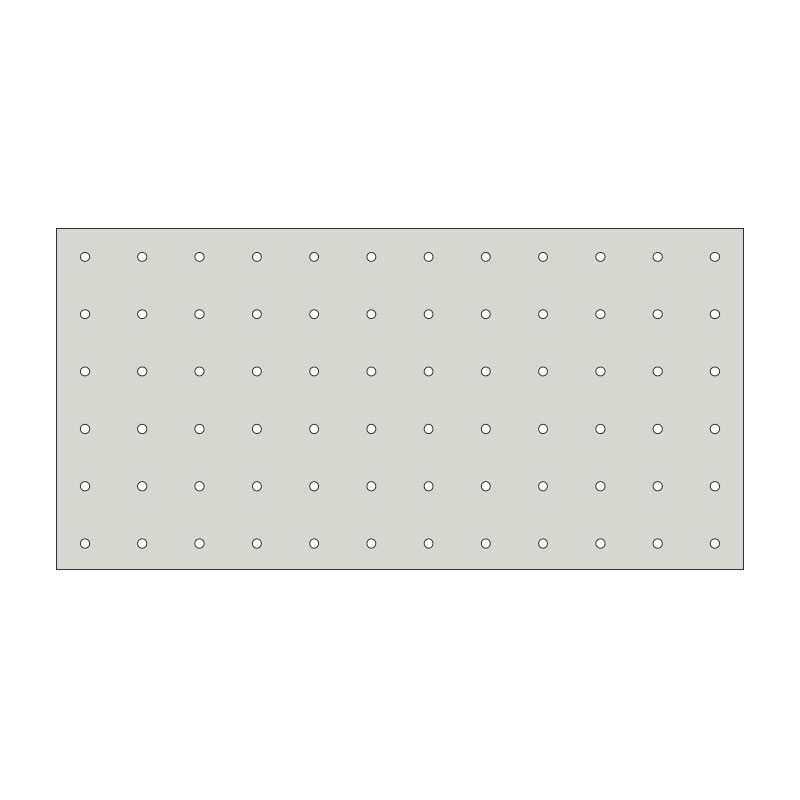
Tactile Indicator Installation Template – 300x600mm 72 Holes
Tactile Indicator Installation Template – 300x600mm 72 Holes
SKU:SF730INS
Couldn't load pickup availability
Simplify the installation process with the Tactile Indicator Installation Template. Measuring 300x600mm, this template ensures precise placement of tactile indicator studs, optimizing accessibility solutions. Ideal for contractors, architects, and facility managers, it streamlines the installation of tactile guidance systems.
Features:
-
Tactile indicator installation template for precise placement
-
Dimensions: 300x600mm (72 Holes per template)
-
Streamlines the installation of tactile guidance systems
-
Ideal for contractors, architects, and facility managers
-
Ensures accurate and efficient installation
Use Cases:
-
Construction Projects: Facilitate the installation of tactile indicators during construction projects.
-
Architectural Planning: Assist architects in designing accessible pathways using the template.
-
Facility Management: Streamline the maintenance and installation of tactile guidance systems.
-
Urban Planning: Ensure consistent and accurate tactile indicator placement in city designs.
Specifications:
-
Dimensions: 300x600mm with 72 x 7mm holes for individual tactiles
-
Resilient Build: 2mm stainless steel for lasting durability
-
Stable Base: 6kg ensures stability during use
-
Quick Setups: Designed for warning tactile installations
❓ Product FAQs Click to expand ⌄
A tactile indicator installation template is used to help mark and position tactile indicator studs in a consistent layout before installation. It helps installers align drilling points, maintain even spacing and create a neat tactile ground surface indicator layout for accessibility projects.
An installation template is useful when installing multiple individual tactile studs across a larger area or when consistent spacing and alignment are important. It is commonly used for commercial, public access and workplace projects where tactile indicator studs need to be installed in a clean, professional and compliant-looking layout.
No. The template is an installation aid only. Before installing tactile indicators, always check the required layout, spacing, placement, surface condition, fixing method and relevant Australian accessibility requirements for the project. The template can help with positioning, but the installer is still responsible for confirming site suitability and compliance.
🛡️ Product Warranty Click to expand ⌄